
Last updated on September 8, 2026
Modules are a fundamental building block and the main organizational unit of a Canvas course. They enable an instructor to organize the course content by week or by topic, for example, and to build each new concept on what a student has previously learned. This organization makes the course easier for a student to navigate.
Canvas modules organize the various content or assessments throughout the course, but the original source material is actually not saved in the module. While you can access the source materials from modules, they are actually stored in Pages, Files, Assignments, Quizzes, and Discussions from the course navigation menu on the left, respectively. Therefore, you are linking to the source material from within the module.
When you delete content from a module, you are deleting the link for the student, but the source material still exists in the course navigation menu on the left. This means assignments will still appear in the gradebook because the original assignment or quiz still exists. To remove these from the Gradebook, you would need to remove both the module link as well as the original source material.
Delete Assignments from the Gradebook
Note: These steps will delete the assignment entirely from your Canvas course, and you will no longer be able to access it. If students have already submitted work, deleting it from here will also delete the students’ work.
- Log in to your Canvas Account.
- Select the Course you’d like to work in.
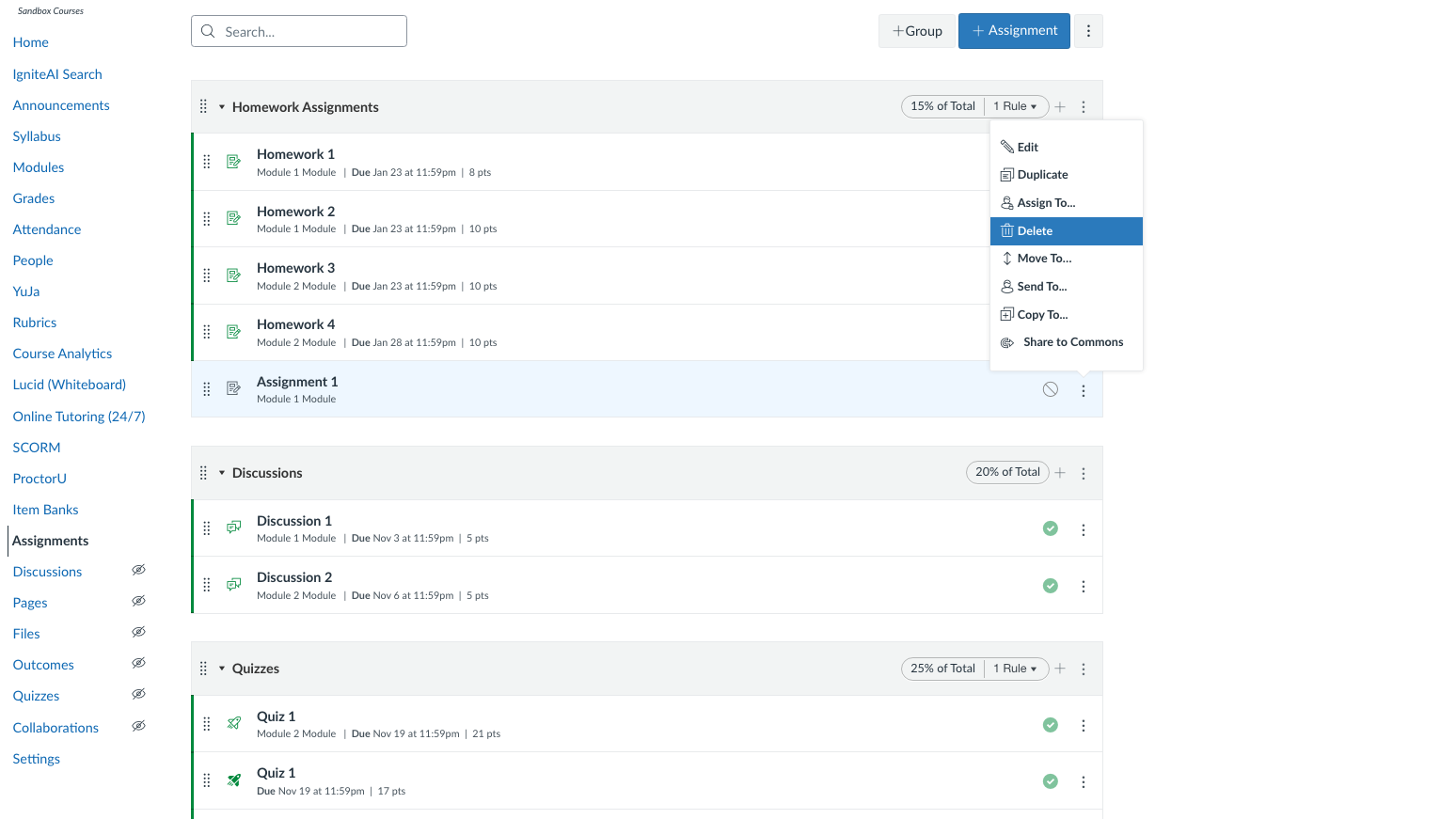
- Click Assignments from the left-hand course navigation module.
- Locate the assignment you wish to delete.
- Click the three dots to the far right of the assignment name.
- Select delete from the list of options.
- Click OK from the pop-up menu.
Have Questions?
Need additional support on this or other teaching and learning topics? Please visit us for drop-in support or try one of our self-help tutorials.
Ready to take your teaching to the next level? Opt into our Connections with CTLD newsletter!