
Last updated on September 9, 2026
By: Sarah Creasy, Michael Rupert, Will Austin, Alexandra Grima, Todd Wolfe, Alex McDaniel
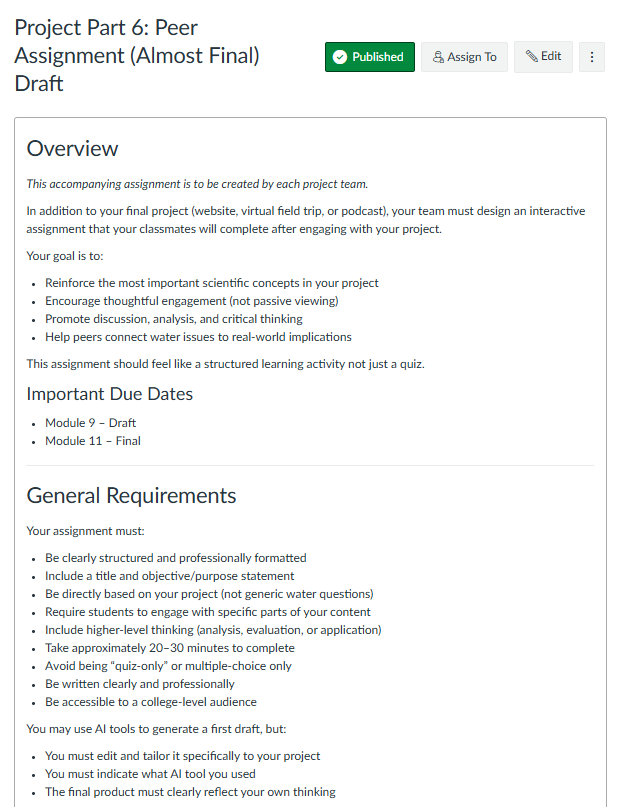
Water is part of almost everything we do, but many of the ways we use it remain invisible. You may never think about the water required to make the products you use every day or the systems that are in place that deliver clean water to your home. ENV 3400: Water Resources was developed in collaboration with Dr. Randi Brazeau to help learners uncover those invisible connections. The course begins with the fundamentals of the hydrologic cycle and expands to explore how everyday activity, public policy, and consumer choices influence water resources locally and around the world.
A strength of this course is the way that it is designed to apply concepts without the use of just a textbook. Instead of learning about water issues only through readings, learners interview professionals already in the field, analyze real case studies, collaborate through Hypothesis annotations, and work through realistic scenarios before they ever encounter those ideas on exams. By the end of the semester, learners have developed not only a stronger understanding of water resources, but also the ability to discuss complex issues facing them today in a clear, practical way.
Video Spotlight
[Length 6:07, CC Available]
Showcase Examples
A Scaffolded, Student-Led Course Project
In this course, the major assessment is a semester-long, team-based project that asks learners to create a website, podcast, or virtual field trip focused on an approved water-related topic. No matter which format they choose, each team must interview a water professional outside of MSU and incorporate that interview into their final product, which is made available to their instructor and peers.
The project scaffolds in eight stages over the first 11 weeks before it is presented in the final four weeks of the class. The project timeline allows students the time to build their teams, refine their topic, prepare interview questions, conduct research, draft their work, and provide peer feedback before submitting the finished project.
The project is designed so that along the way, learners experience many of the same steps that professionals do: from reaching out to experts to translating technical information into language that is accessible to a broader audience. This experiential approach mirrors real workplace tasks in water-related careers, giving students a preview of professional practice rather than just an academic exercise.
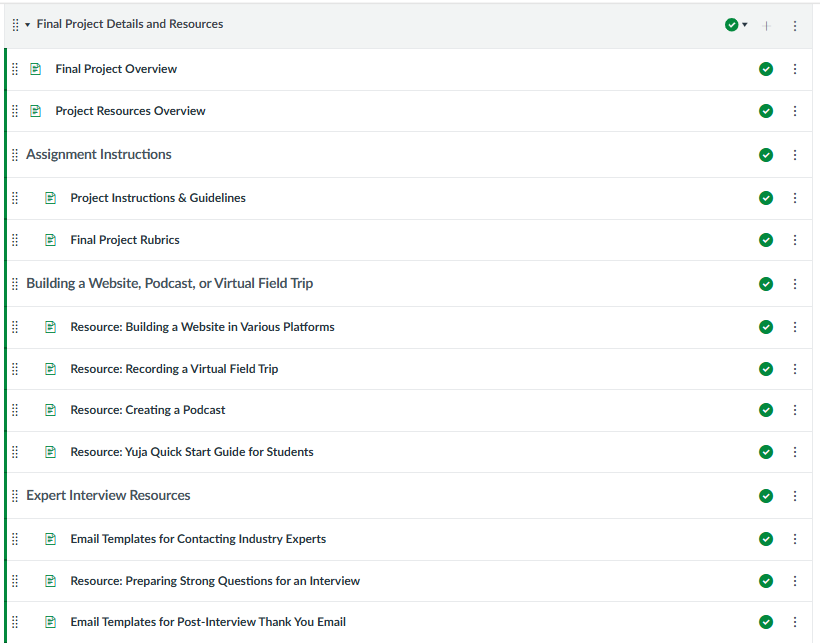
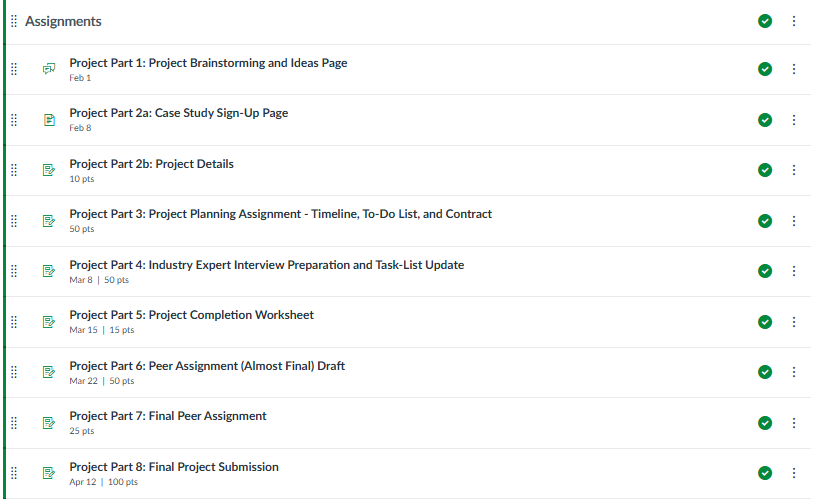
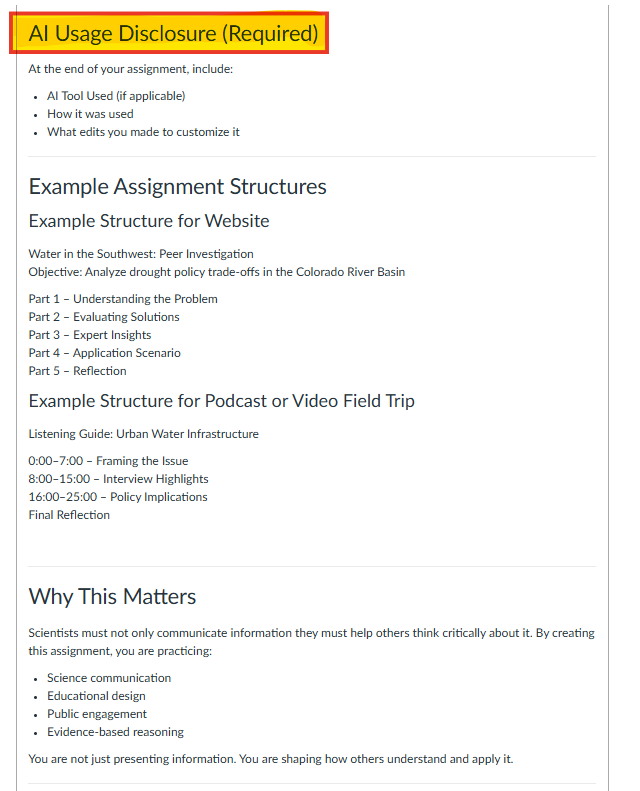
Dr. Randi Brazeau designed this focus on communication to be intentional. Learners are reminded that most adults in the US do not hold a bachelor’s degree, so effective communication means explaining scientific concepts without relying on technical jargon or oversimplifying the science. Each team also designs an accompanying learning activity for classmates that encourages analysis and discussion rather than just passive viewing. As a result, students engage with course content from two perspectives: both creators and then as participants learning from the work created by their peers.
AI Use and Modeling
Rather than banning generative AI outright, Randi provides learners with clear expectations for using it appropriately in her classroom. The course includes a collection of tutorials that support different stages of the course project; for example, a tutorial on recording a virtual field trip using free video and screen-capture tools, and another on structuring effective, open-ended interview questions for a non-expert audience.
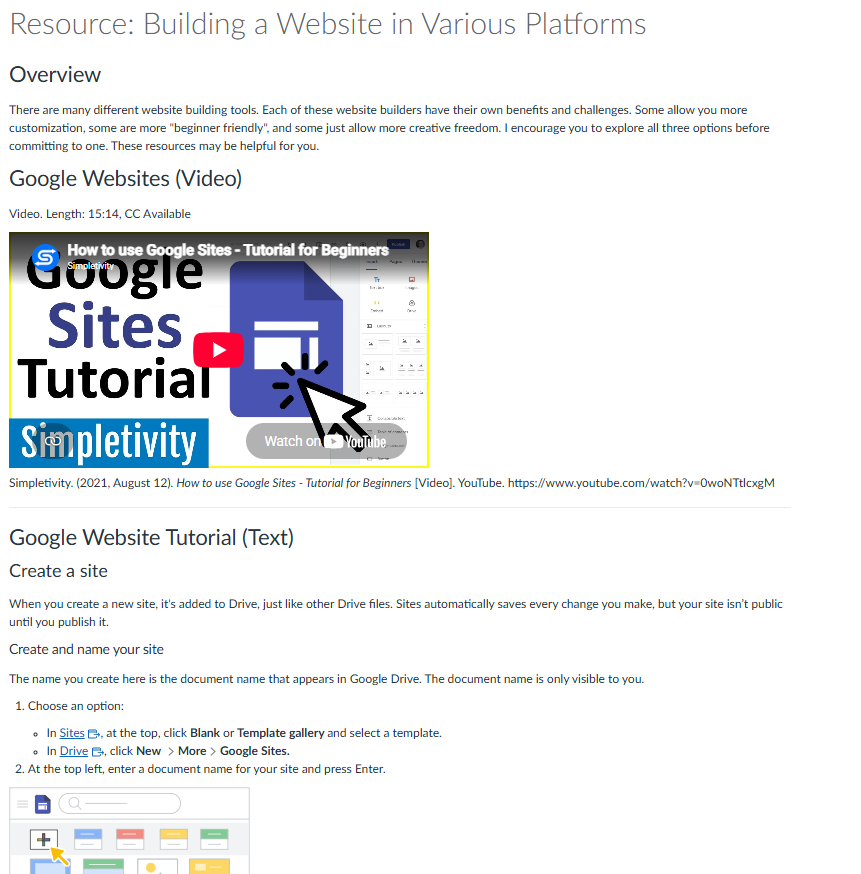
These resources were created with the assistance of generative AI and are clearly labeled throughout the resources section of the Course Project Module, giving students an example of transparent AI use. Randi has created a consistent message throughout the course: “AI can support brainstorming and early drafting, but it should never replace your own analysis, judgement, or final writing.”
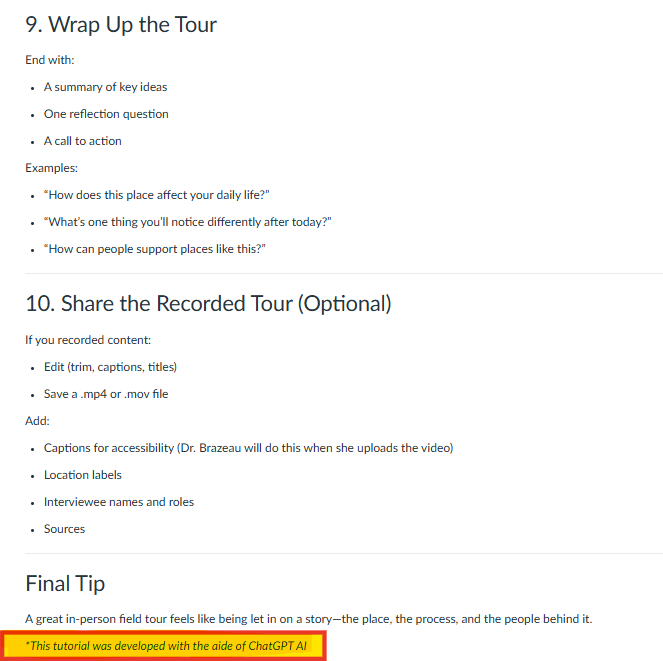
Learners are urged to apply those same expectations in their own work. Teams may use AI to help generate an initial draft of the peer-learning assignment they create, but they are expected to revise it substantially, adapt it to their project, and disclose both the tool they used and how they used it. Making that disclosure a requirement helps normalize responsible AI use throughout the class while also reinforcing the importance of maintaining ownership over their final product. By working through the full project lifecycle, from planning to peer feedback to final product, learners leave the course not just with subject knowledge, but with practice managing a real, professional-style deliverable from start to finish.
Course Structure Set up for Consistency and Scaffolding (Ex – Module 3)
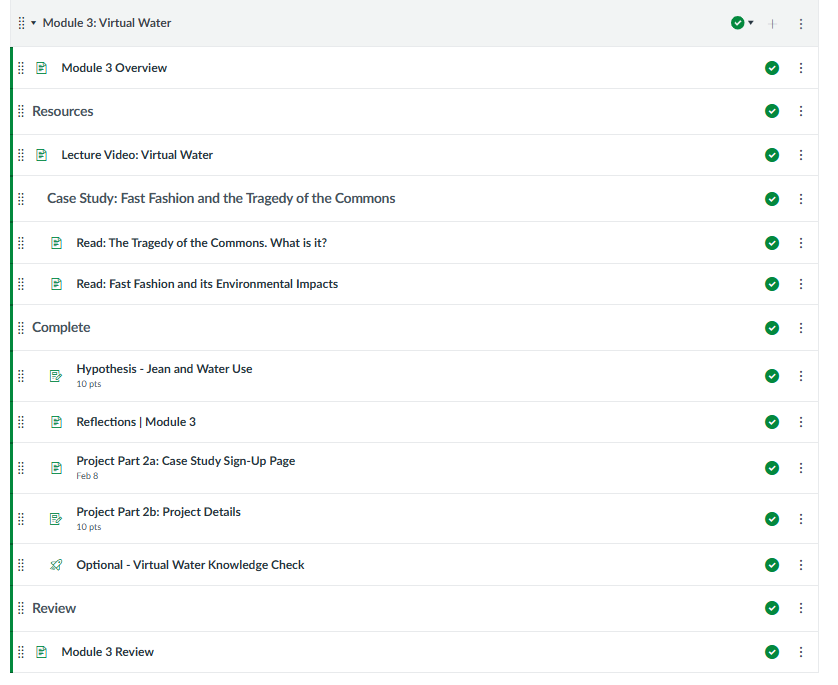
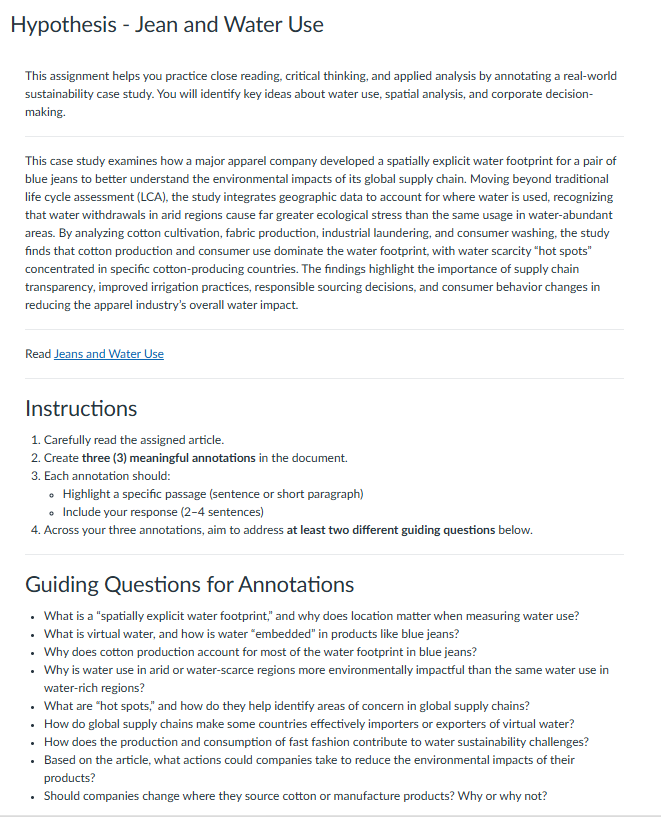
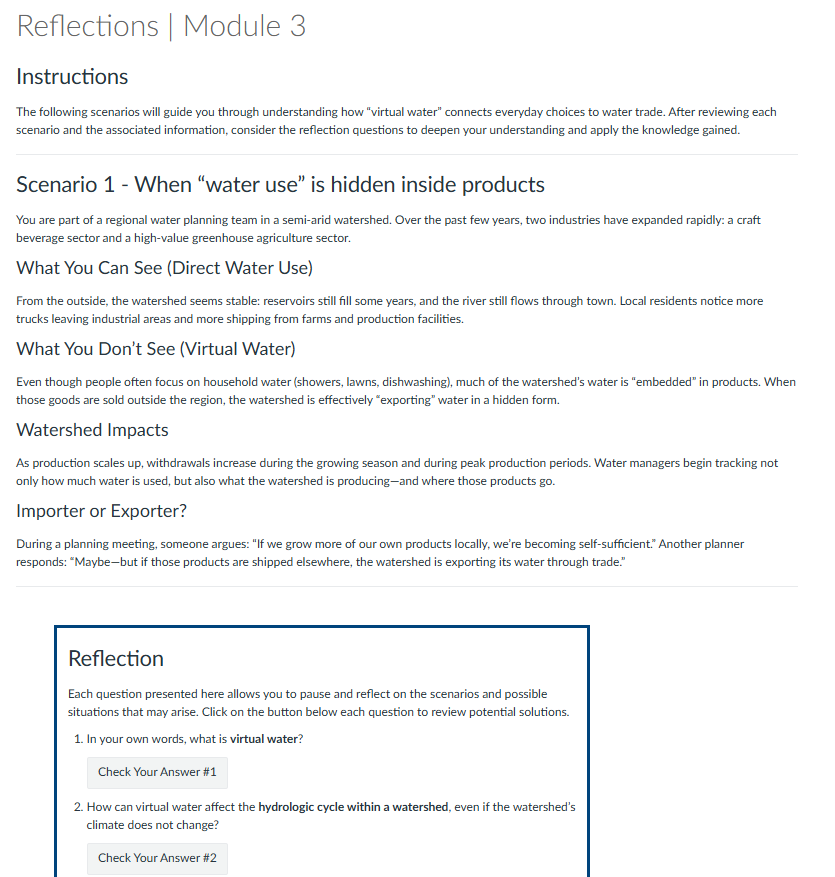
Each module follows the same overall structure, allowing students to focus on the content instead of learning a new format each week. In Module 3, for example, learners explore the concept of virtual water through several connected activities. They begin by viewing a lecture and reading prepared by Randi before annotating a case study in Hypothesis, examining the water footprint of blue jeans while identifying ideas that will appear in exam essays.
The module then leads learners into applying those concepts through scenario-based activities, placing them in the role of a water planner or sustainability advisor faced with realistic decisions about virtual water use and the tragedy of the commons. Finally, learners can complete an optional knowledge check to gauge their understanding and allow them to determine areas that they need to review before moving on. The consistent combination of lecture/reading, applied practice, and low-stakes self-assessment gives learners a reliable routine throughout the semester, and the progression, from foundational content to case-study analysis to applied scenario work, scaffolds learners toward authentic, real-world decision-making rather than passive content review.
Partnering for Continuous Improvement in Teaching and Learning
A significant factor in the success of this and similar projects is the support and funding from the Office of Online Learning (OOL), which has been instrumental in enhancing the quality of our online educational endeavors. OOL’s support and contributions have empowered faculty members to innovate and create a more enriching educational environment for all. Please visit the Office of Online Learning for more information about all that they are doing to help MSU Denver faculty members and students.
Want to get involved?
One way to find help with implementing student supports in your course is the CTLD Course Development Cycle. This is an intensive but rewarding process where an instructional designer will work with you over the course of several months to identify course objectives, develop learning activities, create a user-friendly course, record high-quality multimedia content, and much more.
For more information on the CTLD Development Cycle, as well as how to apply to join, please see our CTLD Course Development Cycle spotlight.
Have questions?
Want help on this or other teaching and learning topics? Please visit us for drop-in support or try one of our self-help tutorials.
- Sources
- Feldstein, A., Martin, M., Hudson, A., Warren, K., Hilton, J., & Wiley, D. (2012). Open textbooks and increased student access and outcomes. European Journal of Open, Distance and E–Learning.
- http://libguides.cu-portland.edu/OER
- http://libraryguides.goucher.edu/oer
- Average Cost of College Textbooks Infographics 2022 – BookScouter Blog